
YOUR OWN LITTLE ART STUDIO
Make a little
room for art.
A canvas, a few good tools, and nowhere else you need to be. Paint something in a quiet corner of your browser.
Open the studioNo account. No ads. Just you and the canvas.
A little more making.
FOLLOW YOUR CURIOSITY
More than
a brush.
SETTLE IN
Three rooms.
Your own rhythm.
Chase the afternoon light or stay a little after dark. Change your surroundings whenever you like; your painting comes with you.
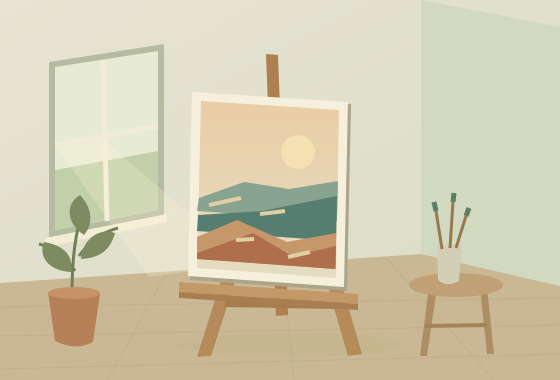 01 / WARM & UNHURRIED
Afternoon light
Warm wood. A little sunshine.
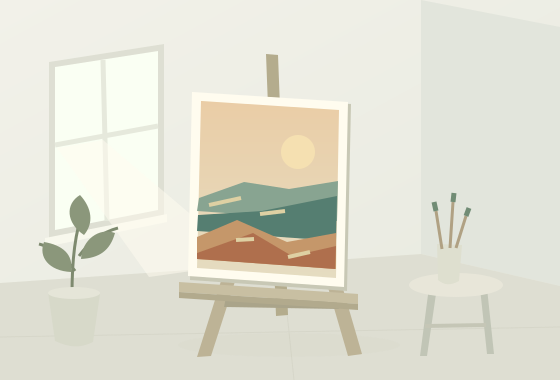 02 / LIGHT & OPEN
A clean slate
Quiet space. A clear head.
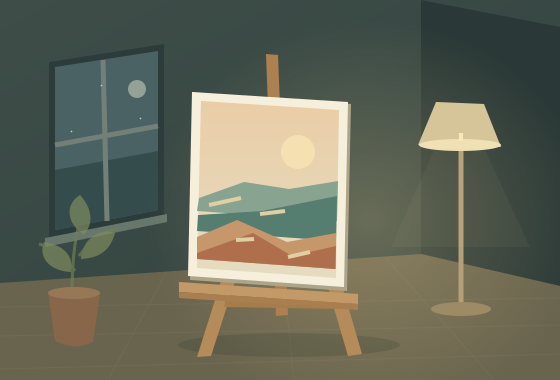 03 / STILL & FOCUSED
After hours
Soft light. Just one more stroke.
All three rooms share the same neutral canvas lighting, so your colours stay yours.
GET TO KNOW YOUR MATERIALS
Find a feeling.
Leave a mark.
Build up something bold, let colours mingle, or follow a wash wherever it takes you.
Take your time.
Work with thick, textured strokes and a longer open time. Pick up wet colour, drag it with a palette knife, and discover what happens where two colours meet.
Rich texture · slow working timeBe a little bolder.
Lay down confident colour, blend while it is wet, then let it set before painting over it. A good companion for graphic shapes and layers of colour.
Opaque colour · faster settingLet it wander.
Build light through transparent washes. Add water, meet a wet edge, and explore gentle spreading, pooling and lifting on a paper-like surface.
Transparent washes · water-led edgesAn expressive browser simulation. Materials are approximations, with their own mixing and wet/dry behaviour.
BUILT AROUND THE CANVAS
Less in the way.
More in the moment.
A view that works for you.
Stay in the studio perspective or turn to a front-on detail view. Zoom in, pan, and tuck the controls away.
Room to change your mind.
Select and move a detail. Fill a background, shape a curve, or shade inside a clipping layer. Undo, adjust colours and experiment freely.
A pause really is a pause.
Your work saves on this device. Switch away or close the studio and drying pauses until you return.
Ctrl + Z undo A mouse is all you need. A compatible pen can add pressure.
A FEW LITTLE THINGS
Before you
pick up a brush.
Made for desktop browsers.
Made for the pleasure of making.
Do I need an account?
No. Open the studio and start painting. There are no accounts, ads, or tracking scripts.
What happens if I refresh the page?
The studio automatically saves locally in your browser and restores the last completed save. Check the save indicator before leaving. An unfinished write can lose the newest unsaved changes.
Can I keep my painting?
Yes. Download a PNG of your artwork or save an editable project file to keep its layers and material state. You can reopen the project in the studio later.
Where does my artwork go?
It stays on your device. BrushOrbit does not upload your artwork to a server. Browser storage belongs to this site and browser profile; clearing site data or private browsing can remove it. Download an editable project for a backup.
Will my paint dry while I’m away?
No. The painting clock pauses when the studio is closed or in a background tab. Oil, acrylic and watercolour resume from their saved wet state when you return.
Is this a replacement for real painting?
Think of it as another place to play. The paint engine approximates mixing, wetness, drying and texture; it does not reproduce every physical property of real materials. Paper and paint still have their own magic.
NOT EVERYTHING NEEDS TO BE PRODUCTIVE
Make something
just because.
Your canvas is waiting A little time. A little colour. All yours.